
A character who remembers you
Give a character a memory that learns from your chats, check what it learns, and use it in new chats.
This guide gives Crimson Frost a memory that carries across chats. You create the memory, add it to a launcher so every chat uses it, and check what it learns.
Give her a memory
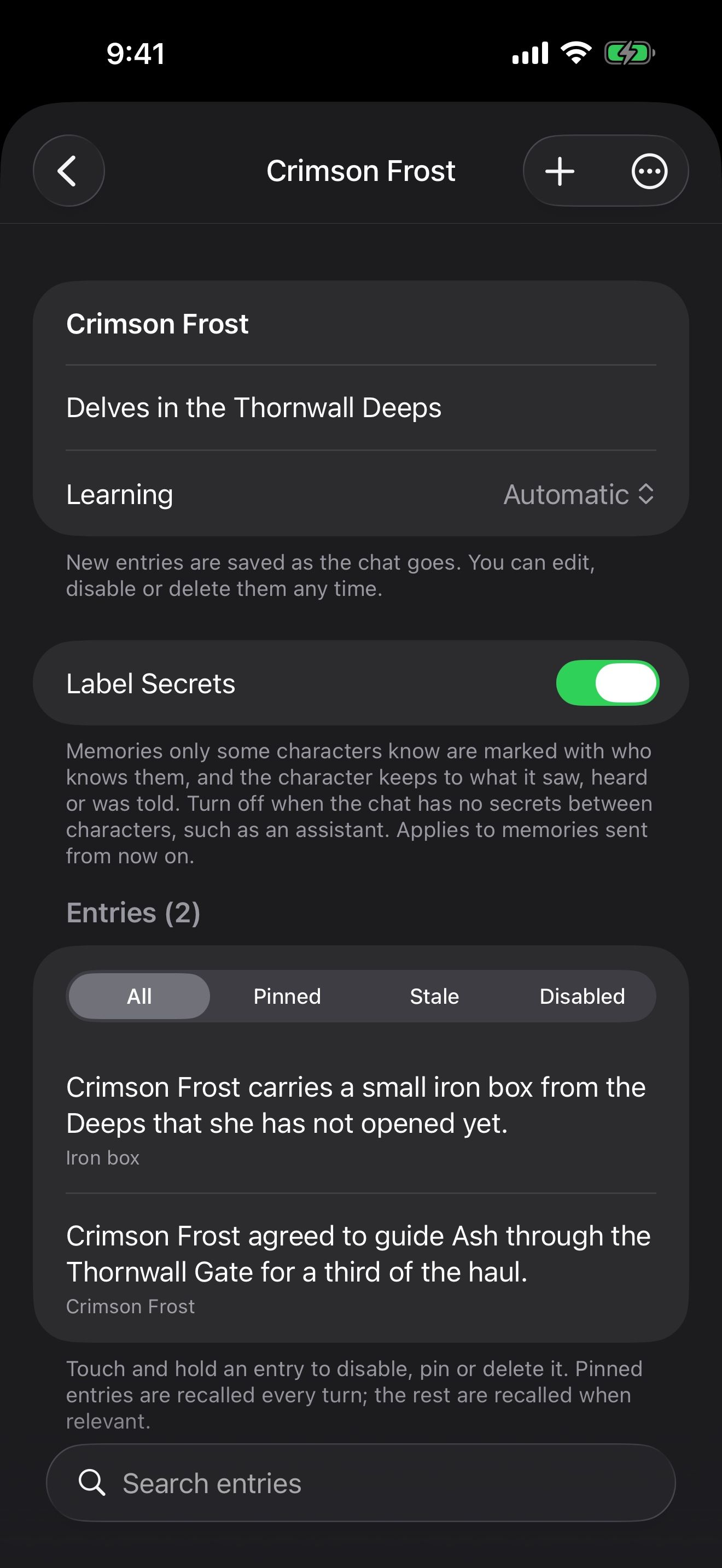
- Open Settings › Memories and tap New Memory.
- Name it “Crimson Frost” and tap Create.
- Open it and set Learning. Choose Suggest if you want to approve every new fact before she uses it, or Automatic to let it fill in as you play.
A memory isn’t tied to one chat. Attach the same memory to every chat and launcher you use with her.
Start every chat with it
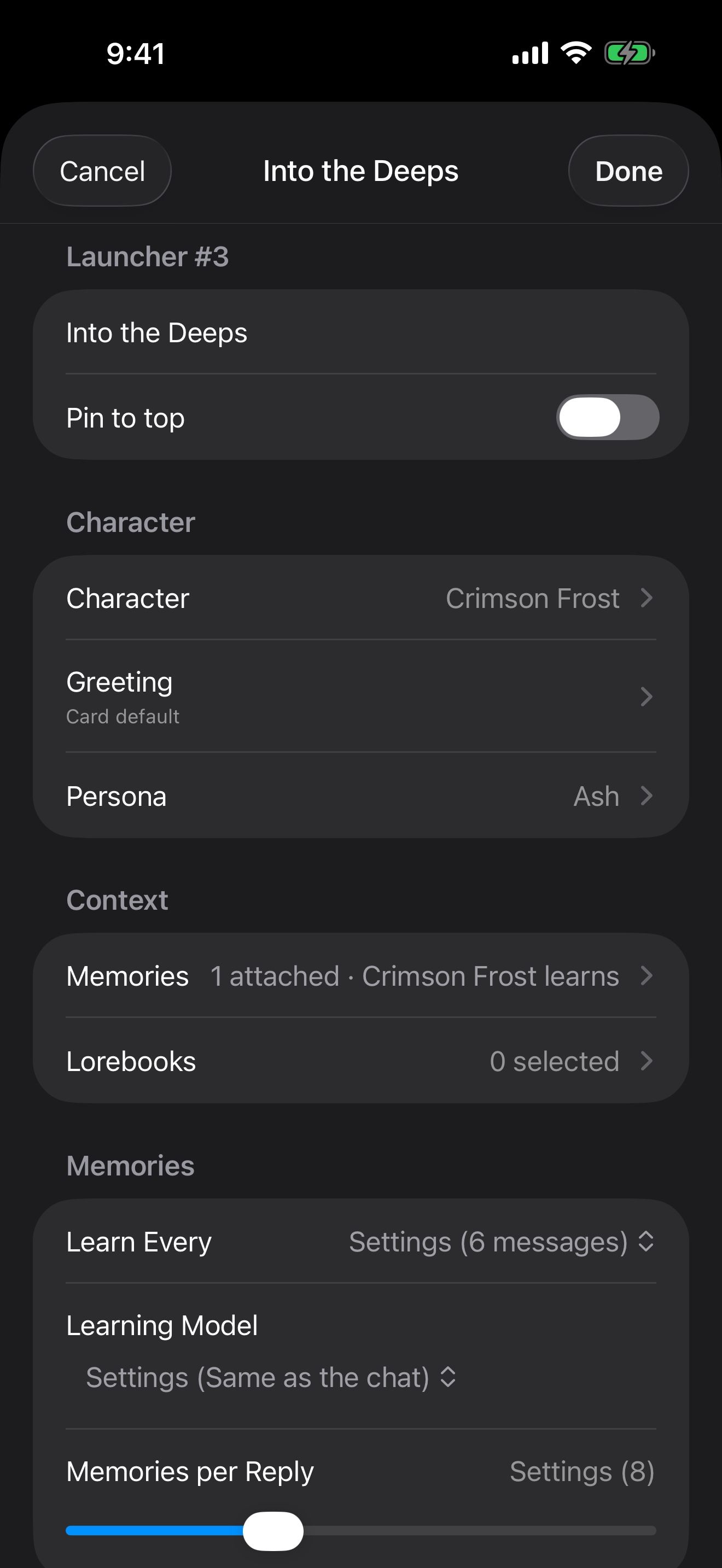
A launcher is a saved way to start a chat. Make one for her, and every chat it starts learns into the same memory.
- Open the Manage Characters menu at the bottom of the home screen and tap Create Launcher.
- Under Character, pick Crimson Frost, her greeting, and the persona you play.
- Under Context, pick her memory under Memories. Her lorebook, The Thornwall Deeps, can go under Lorebooks.
- Turn on Pin to top, then tap Done.
Tap the tile on the home screen to start a new chat with these settings. A launcher can also have its own Learn Every and Learning Model, so one launcher can learn less often than another.
Check what it learns
While you chat, a brain in the chat’s header shows the memory at work. Tap it to see what she learned and what she recalled.
- In the memory, Suggested entries wait for you: Approve, Reject or Edit.
- For facts that should come back in every reply, like the name she calls you, open the entry and turn on Pin: Recall Every Turn.
- Add Entry writes a fact yourself, like a debt she owes you from before the story began.
Carry a long story forward
A summary condenses a long chat. Add it to her memory, and a new chat can pick up where the old one ended.
- Tap History on the home screen.
- Long-press the chat and choose Create Summary.
- In her memory, tap Add From Summary to turn the summary into entries.
A new chat from her launcher can then recall those entries.
Let her check in
Characters can also text you first.
- Open Settings › Notifications & iPhone.
- Under Check-Ins, set Texts You First to Sometimes (about once a day after you’ve been away) or Often (a few hours after you’ve been away).
- Set Quiet From and Quiet Until so nothing arrives at night.
A launcher can override this for its own chats. Each check-in is one reply from the chat’s model.
Take her memory with you
You can export her memory as a file.
- To back it up or share it, long-press it in Settings › Memories and choose Export.
- To bring a memory in, tap Import in Settings › Memories.
- To try a story in a new direction, Duplicate the memory and attach the copy to a new launcher. The original stays as it was.
Every memory setting is covered in Memory: characters who remember. To hear her replies, see Give them a voice, even yours.
Keep going
Give them a voice, even yours
Talk hands-free with voices that run on your iPhone, and clone a voice for your character. All free.
Hands-free voice chat · On-device voices · On-device speech recognition · Voice cloning · Launchers · Siri, Shortcuts and widgets
The same face in every picture
Make pictures of your character that keep their look, and have pictures added to your chats automatically.
Reference pictures · Image creation · Image Library · Launchers · Themes
Memory: characters who remember
How memories learn and recall, and how to review, pin, edit, import and export their entries.