
Your character library
Search, favorite, filter and sort your characters, and use the long-press menu.
Every character you add goes into your library. This guide covers finding characters, favorites, sorting, and the actions on each character.
Open your library
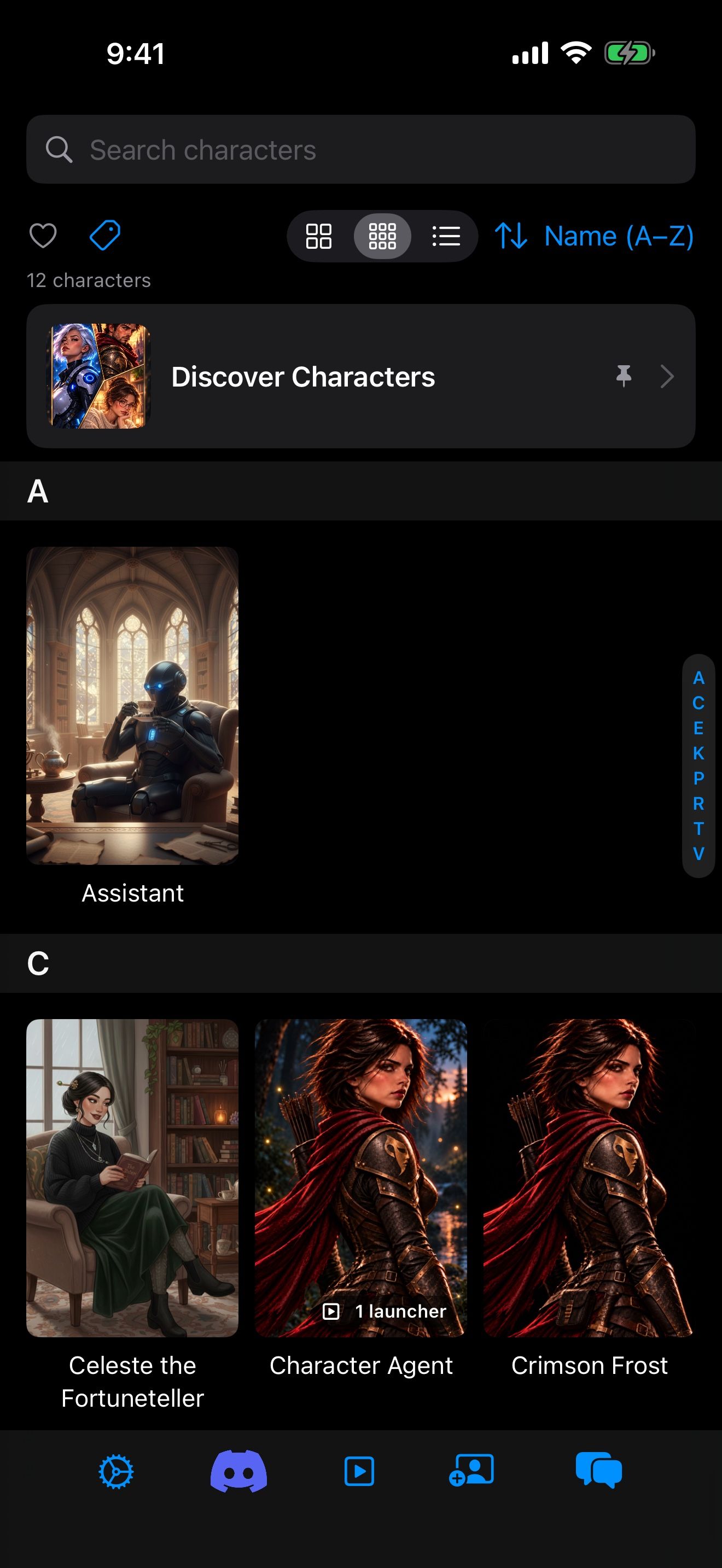
On the home screen, tap the center button in the bottom bar to switch from Launchers to Characters. Tap a character to read their card, and tap Chat to start a chat.
Find a character
- Search characters finds them by name.
- The heart shows only your favorites.
- The tag filter narrows the list to the tags you pick, like fantasy or slice of life. Clear Tags resets it.
- The sort menu orders by Name (A–Z), Name (Z–A), Recently Chatted, Recently Added or Recently Modified. Turn on Favorites First to keep favorites at the top.
- In a large library, a letter index along the edge jumps to a letter.
Switch between Grid, Compact and List for large portraits or a compact list.
Long-press for actions
Long-press a character for:
- Start Chat, or Open Launcher when they have one.
- Alternate Greeting, to start with one of their other opening scenes.
- Favorite, to heart them.
- Edit and Duplicate.
- Export to Clipboard (JSON) and Export as PNG, to share the card or back it up.
- Delete.
The character’s card
Tapping a character opens their card. From there you can Chat, Chat with Options to pick the greeting and persona for one chat, or Create Launcher to save a setup you’ll use again. The card’s menu has Edit Card, Duplicate Card, Export to Clipboard, Export as PNG and Delete Card.
Add more characters
Bring in more characters with Import character cards, or move a whole collection from another app with Bring your characters home. Character Agent can also organize your library, for example by tagging every fantasy character at once: Character Agent and MCP tools.
Keep going
Import character cards
Bring in character cards by link, file, paste, the Safari share sheet, or seven card sites inside the app.
Bring your characters home
Move your cards, lorebooks, presets and chats from other apps and card sites, then give them memory and a voice.
Discover Characters · Card import · Lorebooks · Story settings · Chat history · Memory