
Memory: characters who remember
How memories learn and recall, and how to review, pin, edit, import and export their entries.
A memory is a notebook a character keeps about your story: events, promises, secrets and how characters change. It learns as you chat and brings relevant entries back into replies, in every chat it’s attached to. You can read and edit every entry.
Make a memory
- Open Settings › Memories and tap New Memory.
- Give it a name, like “Crimson Frost”, and an optional note about what it’s for. Tap Create.
- Attach it where it should learn: in a launcher, or in a chat’s ⋯ › Chat Settings.
Memories belong to a character or a story arc, not to one chat, so attach the same memory to as many launchers and chats as you like. A chat can also offer to make one for you: Create New Memory, Pick a Memory or Not Now.
Choose how it learns
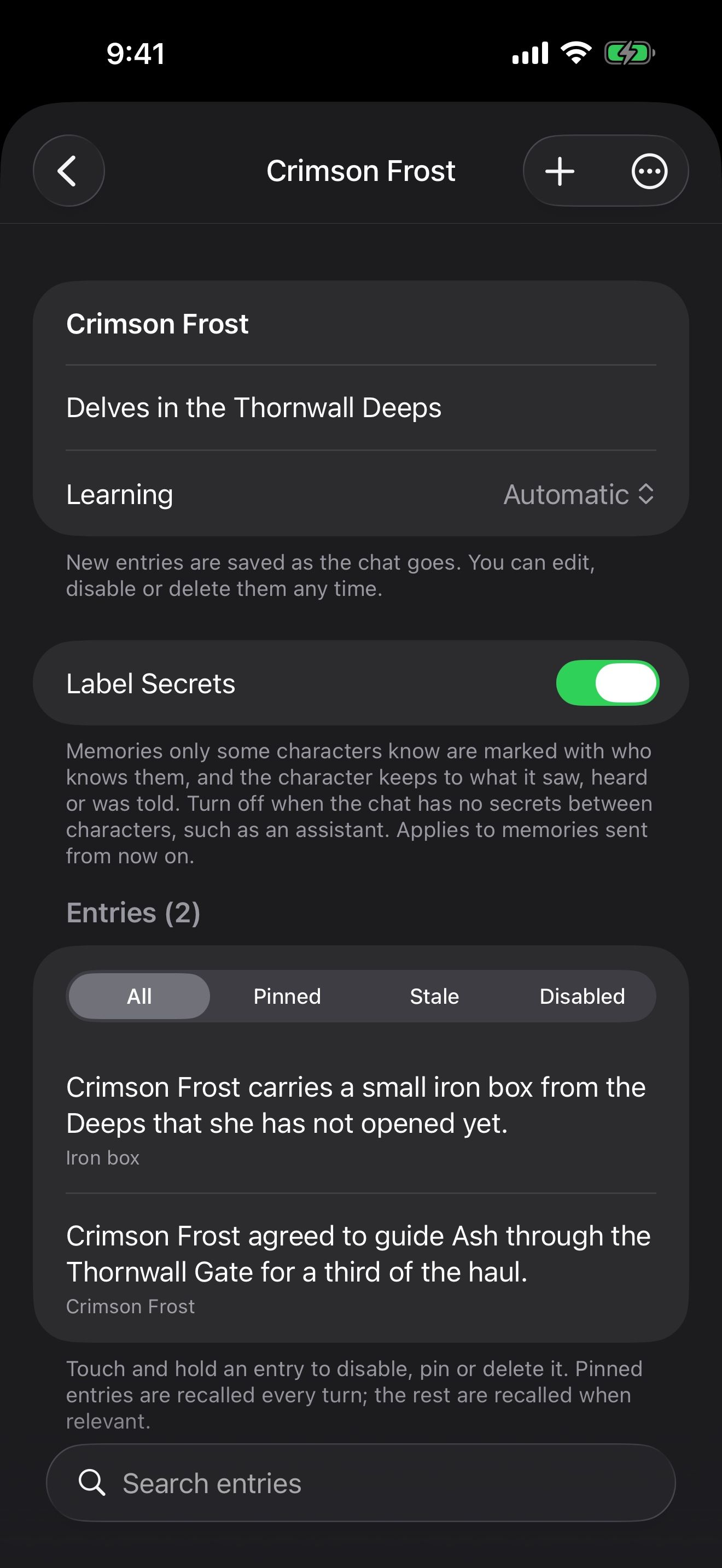
Open a memory to set Learning:
- Automatic: new entries are saved as the chat goes. You can edit, disable or delete them any time.
- Suggest: new entries wait for your approval before they are recalled.
- Manual: it learns only when you tap Learn Now in the chat’s Memories.
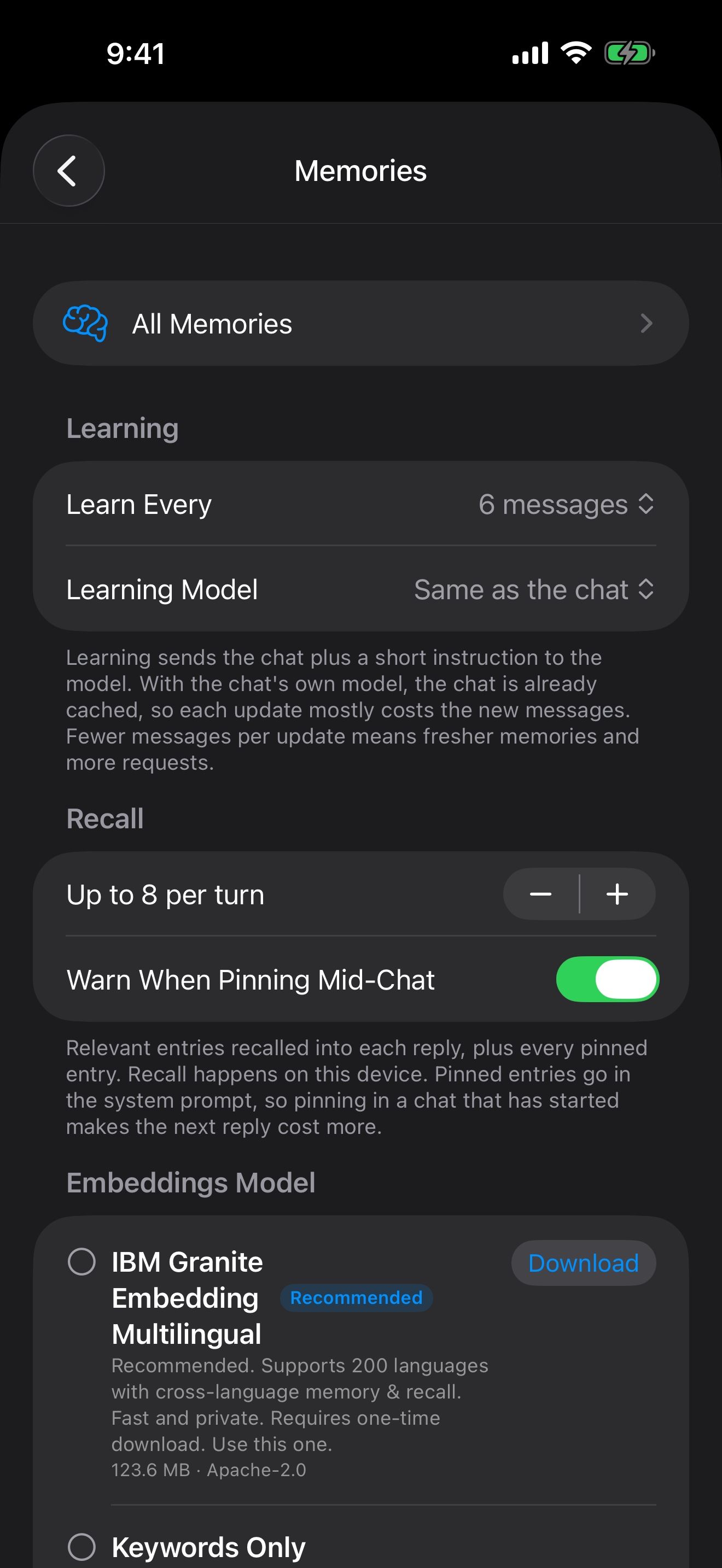
In Settings › Memories you choose, for every memory:
- Learn Every: how many messages pass between updates, from 2 to 20.
- Learning Model: the chat’s own model, or Apple Intelligence (on device) on devices that support it.
Choose how it recalls
Each reply, the character gets the most relevant entries, up to the number you set in Up to … per turn, plus every pinned entry. Recall happens on your device.
Under Embeddings Model, pick how memories are found. Keywords Only is built in and matches the words you use. A downloadable embeddings model finds memories by meaning, too, and never sends your chats anywhere.
Review and fix what it knows
Open a memory to see every entry.
- Suggested entries wait for you: Approve, Reject or Edit each one, or Approve All.
- Needs Review lists entries flagged for a second look. Disable keeps an entry for the record but stops recalling it; Keep Both clears the flag.
- Each entry’s menu has Edit, Delete and Use in Next Message.
- Add Entry writes a fact yourself. Find Duplicates finds repeated entries, and Add From Summary turns a chat summary into entries.
- Turn on Pin: Recall Every Turn in an entry for facts that should come back in every reply, such as what the character calls you.
Label Secrets marks entries only some characters know, so each character keeps to what it saw, heard or was told.
In a chat
A brain in the chat’s header shows the memory at work. Tap it to see what was learned and recalled in this chat, or open the full memory. If you attach a memory to a chat that already has history, it offers to Catch Up on the earlier messages, or learn Only New Messages.
Export and import
You can export and import memories as files.
- To export, long-press a memory in Settings › Memories and choose Export, or use Export inside the memory. Keep the file as a backup or share it.
- To bring one in, tap Import in Settings › Memories and choose the file.
- Duplicate a memory to try a story in a new direction without touching the original.
Keep going
Voice: hear them and talk back
Read aloud, on-device voices, speech recognition, hands-free voice chat and voice cloning.
A character who remembers you
Give a character a memory that learns from your chats, check what it learns, and use it in new chats.
Memory · Launchers · Memory files · Chat history · Check-ins