
Voice: hear them and talk back
Read aloud, on-device voices, speech recognition, hands-free voice chat and voice cloning.
Characters can read their replies aloud, take your messages by voice, and hold a hands-free voice chat with you. Both the voices and the speech recognition can run on your iPhone.
Hear a reply
Tap the speaker under a reply to hear it. While it reads, the playback bar lets you pause, change the speed or stop. Reading continues on the Lock Screen.
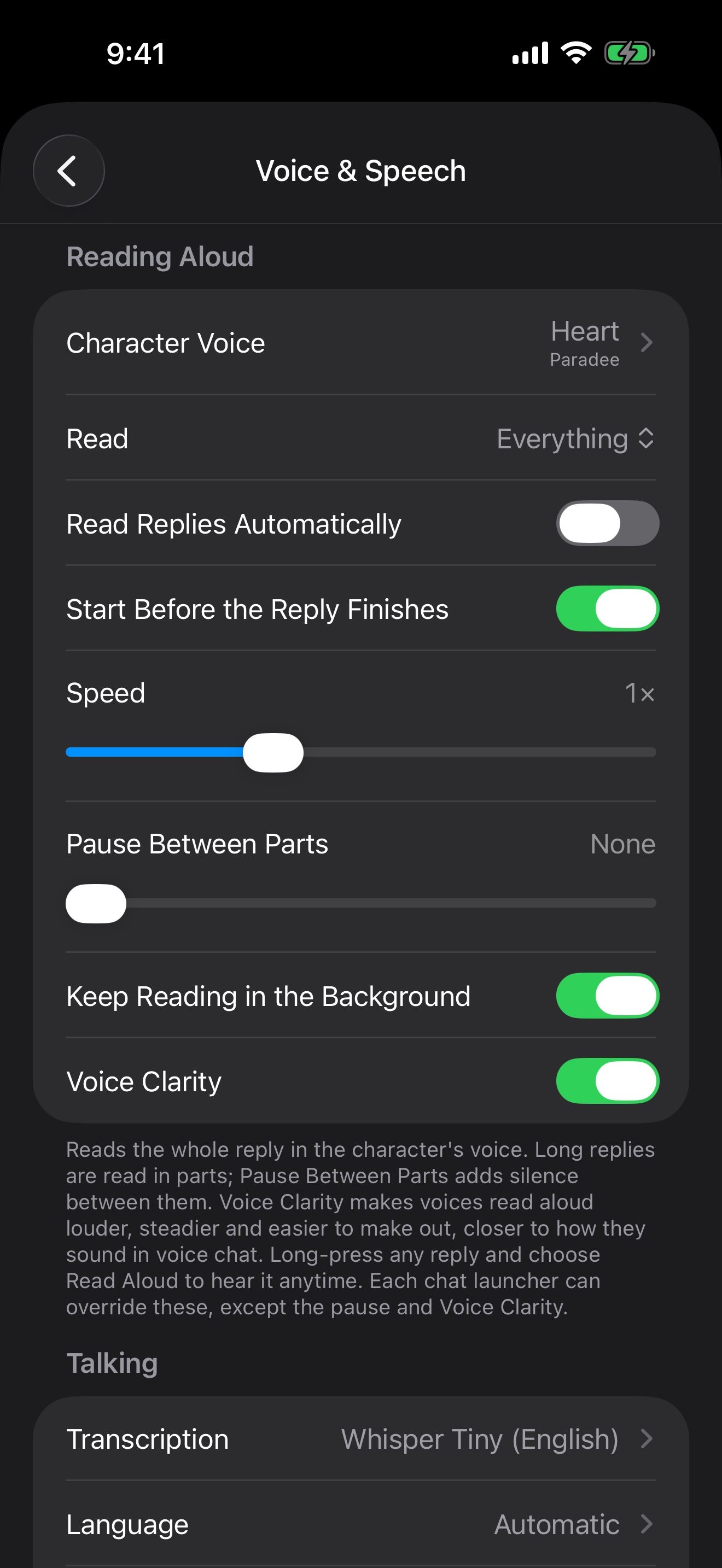
To hear every reply as it arrives, open Settings › Voice & Speech and turn on Read Replies Automatically. Start Before the Reply Finishes begins reading while the reply is still being written.
Under Read, choose how much is read:
- Everything: the whole reply in the character’s voice.
- Dialogue only: only what the character says out loud, skipping actions.
- Dialogue + narrator: the character voices dialogue, and a Narrator Voice reads actions and scene text.
Pick a voice
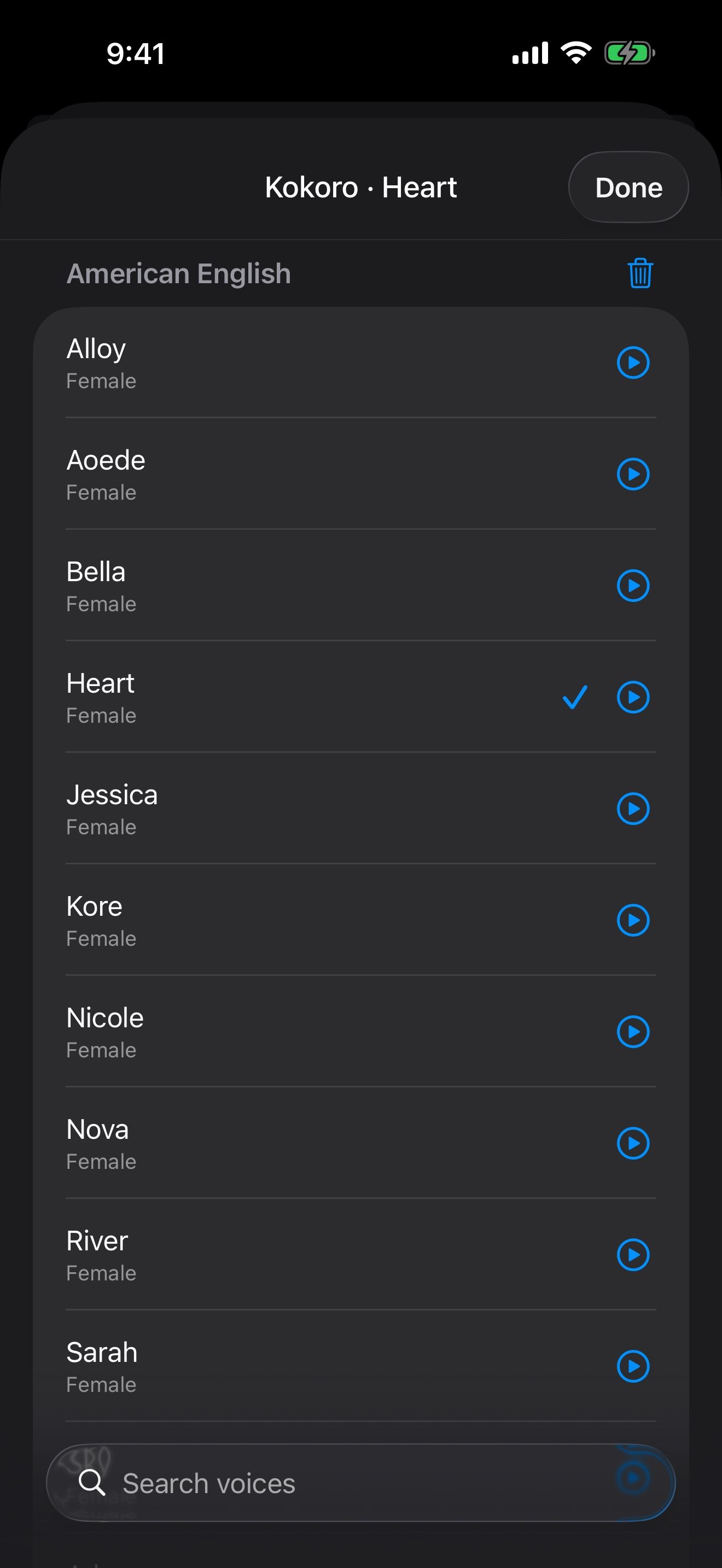
Tap Character Voice in Settings › Voice & Speech.
- On-Device voices run on your iPhone. Heart, a natural English voice, is built in.
- Kokoro is a free download, with English, Japanese, Mandarin, Spanish and French.
- Ming is a free download with English and Chinese, including over 100 Chinese voices. It needs 8 GB of memory: iPhone 15 Pro or newer.
- Apple voices are free too, including your Personal Voice. For more natural Apple voices, download Enhanced or Premium voices in the Settings app under Accessibility › Spoken Content › Voices.
- API voices come from a voice service you connect with your own key: OpenAI, OpenRouter, ElevenLabs, Groq, Mistral, Deepgram, Google Gemini, Cartesia, NanoGPT, or any compatible service. Tap + to add one.
Talk instead of typing
Tap the mic to dictate a message. Or hold it, talk, and let go to send. Slide away to cancel.
Under Transcription, choose what listens to you. Whisper runs on your iPhone in 90+ languages, and Tiny English is built in. Larger Whisper models, up to Medium, are free downloads. Larger models are usually more accurate, but slower and use more memory. Language sets the language you speak.
Voice chat, hands-free
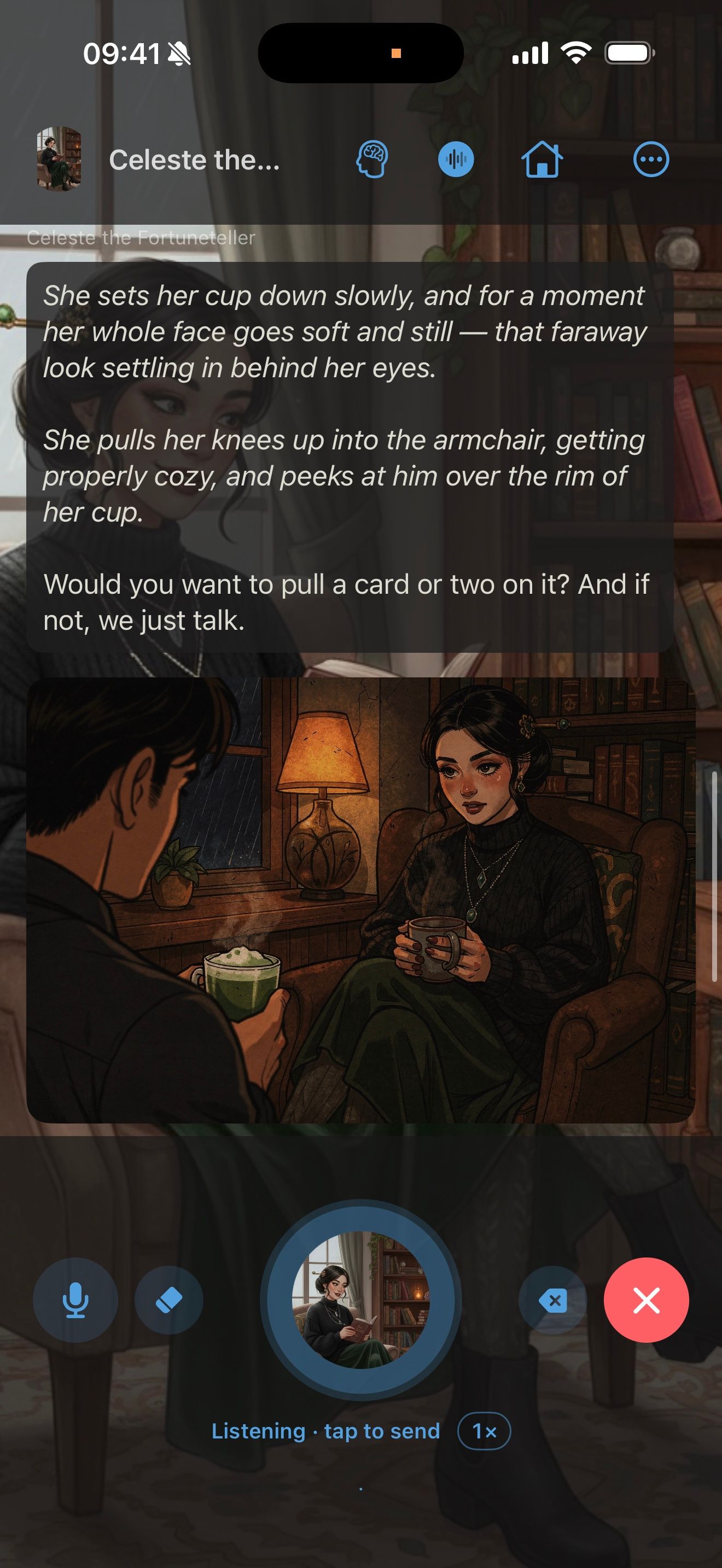
In a chat, tap the waveform at the top to start voice chat, then talk. Tap the character’s picture to send what you’ve said.
In Settings › Voice & Speech, set When I Stop Talking to Wait for Tap, Fill Message Box or Send, and choose the Pause Length.
- Listen for Interruptions lets you cut in while the character is talking. It works with headphones.
- Sound Cues and Waiting Sounds play short sounds during voice chat.
- Keep Reading in the Background keeps reading when you leave the app. Voice chat shows on the Lock Screen and in the Dynamic Island.
Headphone controls
Open Settings › Voice & Speech › Headphone Controls to choose what AirPods presses do in voice chat: Press once, Press twice and Press three times can Pause / Resume, Send, Skip the rest of the reply, Reroll the reply, End voice chat and more. The matching buttons on the Lock Screen player work the same way.
Clone a voice
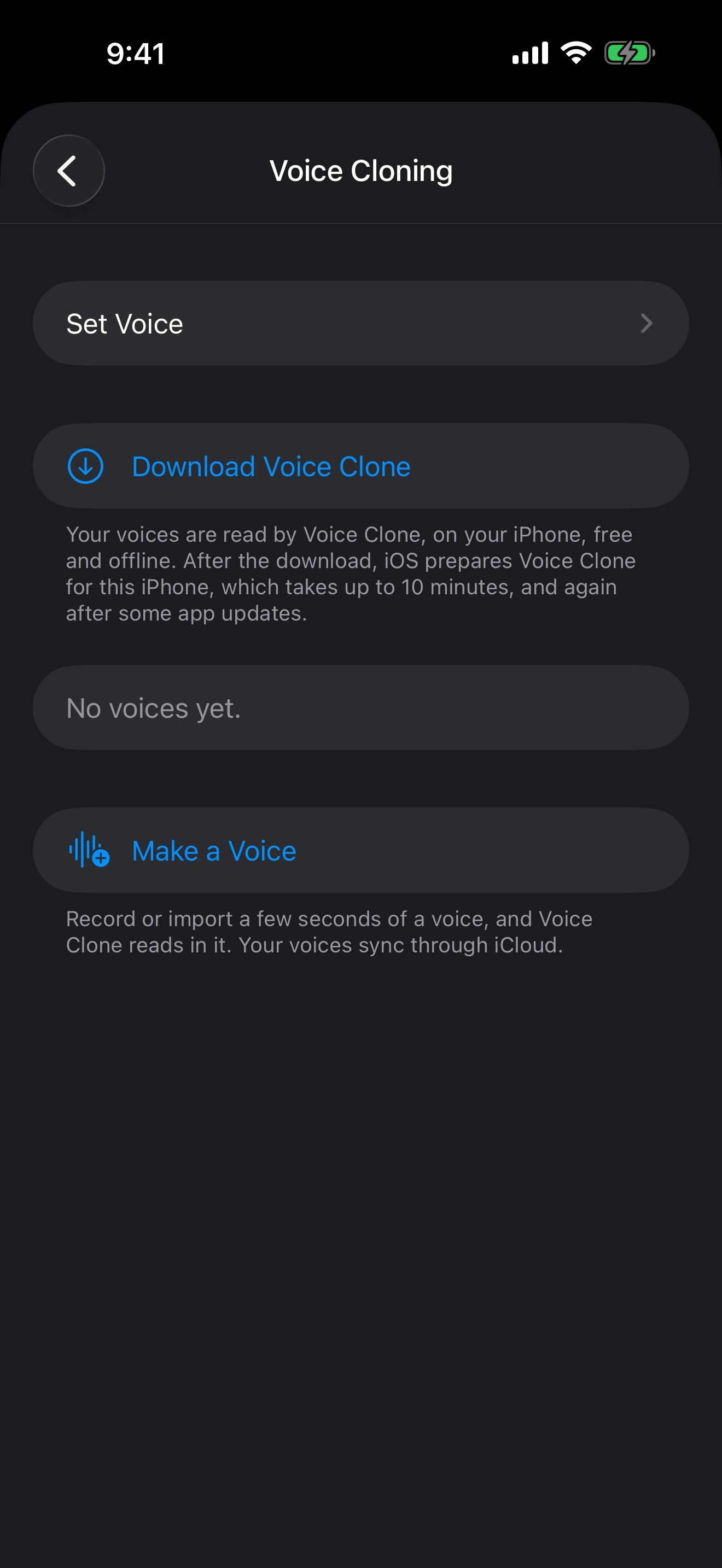
Voice cloning makes a voice from a few seconds of audio. It runs on your iPhone and is free.
- Open Settings › Voice Cloning and tap Make a Voice.
- Record 3 to 10 seconds in a quiet room, reading the words on screen at your normal pace. Or tap Import a Recording of one voice speaking.
- Check Words in the Recording. They must match the recording exactly.
- Name the voice, and turn on This is my voice, or I have permission to use it.
- Tap Save. The voice is made after the free Voice Clone download is on your iPhone. Voice Cloning shows the progress.
Your cloned voices sync to your other devices through iCloud, and appear with the other voices when you pick a Character Voice.
To combine a voice with memory and launchers for one character, see Give them a voice, even yours.
Keep going
Images: pictures for your stories
Connect an image service, set your style, keep a character's look, and add pictures to chats.
Give them a voice, even yours
Talk hands-free with voices that run on your iPhone, and clone a voice for your character. All free.
Hands-free voice chat · On-device voices · On-device speech recognition · Voice cloning · Launchers · Siri, Shortcuts and widgets