
Models and story settings
Choose the AI that writes replies, a model for each job, story presets and SillyTavern prompt presets.
An AI model writes every reply. Use the models included with a subscription, or bring your own. Then adjust the story settings and prompts.
Choose who writes the replies
Open Settings › Model Setup.
- Start Free Trial uses the Character Agent models that come with a Pro or Premium subscription. There are no AI keys to set up.
- Bring your own API key connects your own provider.
To bring your own:
- Tap + and pick a preset: OpenRouter (sign in right from the app), Google Gemini, Electron Hub, OpenAI, DeepSeek, Qwen, Anthropic, Cerebras or NanoGPT. Or choose Custom for any OpenAI-compatible server, including one running on your own computer.
- Enter your key, or the Base URL for a custom server.
- Pick the Active Model. New chats use it when this provider is selected.
Long-press a provider to Edit, Duplicate or Delete it. Launchers can each use their own model. See Launchers.
A model for each job
Settings › Model Assignment gives tasks their own model. Keep a strong model for Main Chat and use a cheaper one for Title Generation and Summary Generation. Unassigned tasks use the active chat model.
Story settings
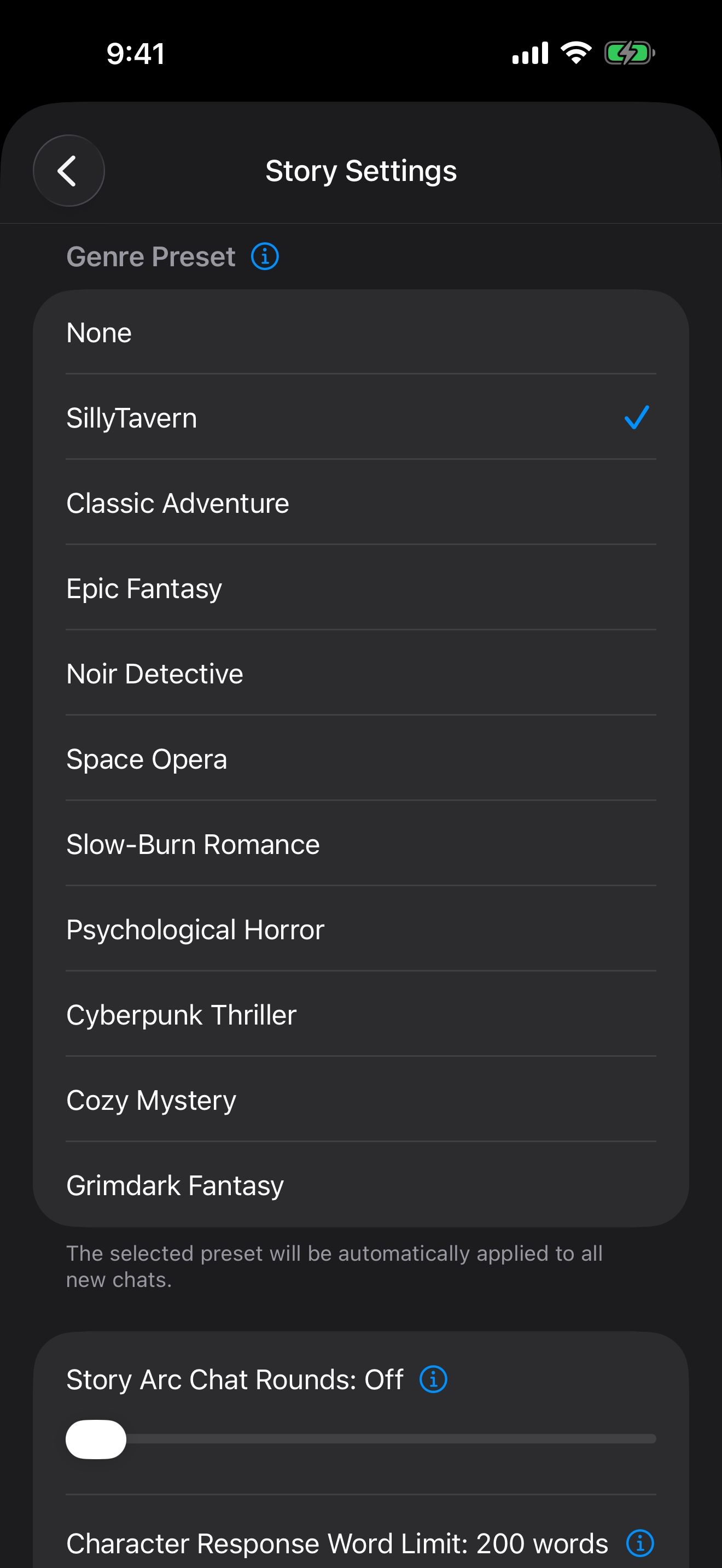
Open Settings › Story Settings.
- Genre Preset applies to every new chat: Classic Adventure, Epic Fantasy, Noir Detective, Space Opera, Slow-Burn Romance, Psychological Horror, Cyberpunk Thriller, Cozy Mystery or Grimdark Fantasy. Or None, or SillyTavern.
- Story Arc Chat Rounds has the model follow a plot arc every few rounds, to pace scenes.
- Character Response Word Limit adds a reminder of the reply length to every message.
Prompt presets
If you use SillyTavern, open Settings › Prompt Presets and choose Import from File or Import from Clipboard to bring in a SillyTavern Chat Completions preset. Long-press a preset to Edit it, Export to Clipboard, Export to File or Delete it. Presets apply when the Genre Preset is SillyTavern.
See what’s sent to the model
Turn on Chat Debug Mode in Settings › Advanced to see the exact instructions sent with each message. It helps when you’re adjusting a character or a preset.
Your plan
At the top of Settings, subscribe or upgrade, check Usage, and manage your Account. Usage shows how much is left in the current 5-hour and weekly windows, and when each resets. Premium has 2.5 times the usage of Pro.
Keep going
Character Agent and MCP tools
Let the agent find, create and edit your characters, lorebooks, chats and launchers, and connect MCP tools.
Use every feature for free
Connect your own AI, turn on the free on-device voices and memory, and try images without an account.
Model choice · On-device voices · On-device speech recognition · Memory · Image creation · MCP tools