
Import character cards
Bring in character cards by link, file, paste, the Safari share sheet, or seven card sites inside the app.
A character card is a single file that holds a character: their description, greetings, picture, and often a lorebook. Character Agent imports cards from links, files, pasted text, other apps and card sites. Importing is free.
Open the Import screen
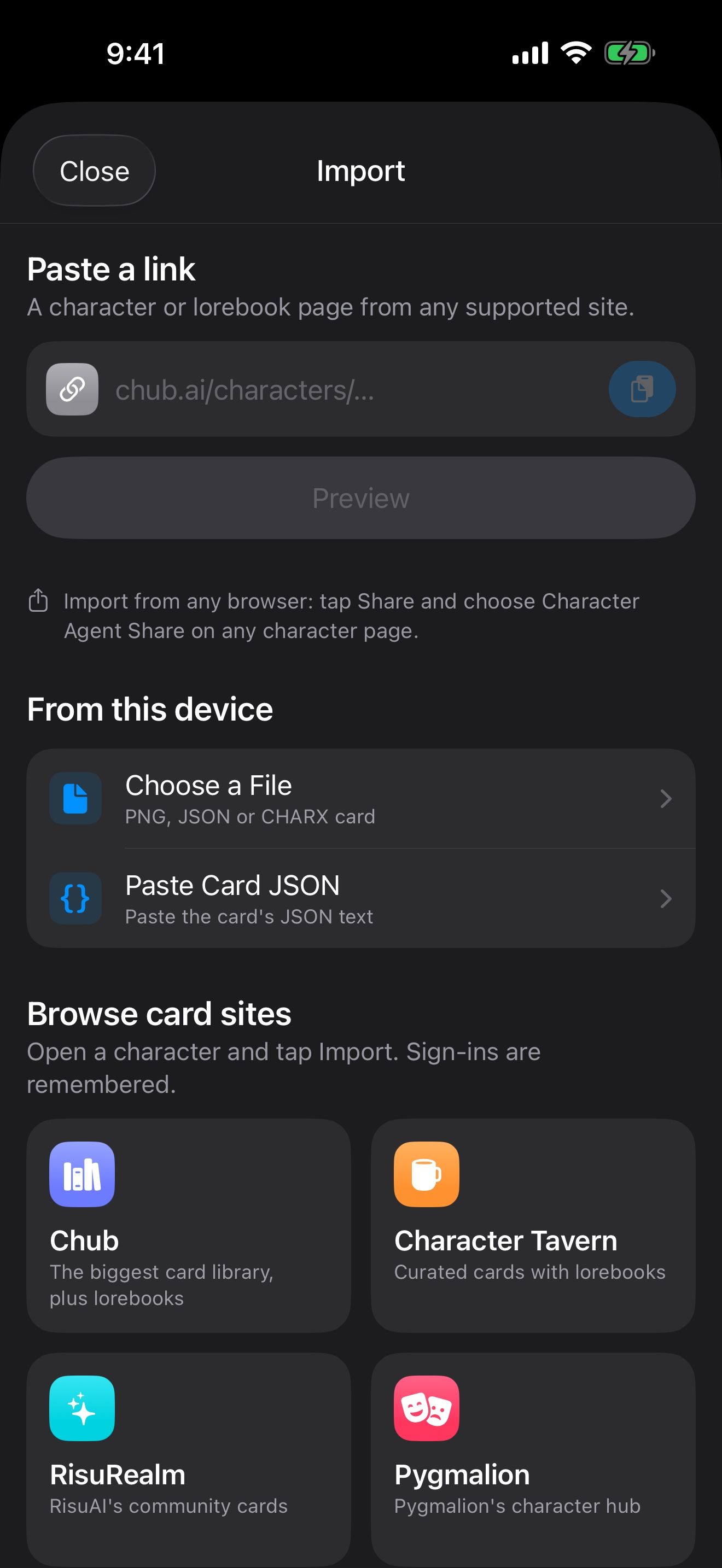
Open the Manage Characters menu at the bottom of the home screen and tap Import Card. The Import screen lists every way to bring a card in. To try it, use our guide character:


Paste a link
- Copy a character’s page link from a card site, or a direct link to a card file.
- Paste it under Paste a link. The app shows which site it recognized, and whether it’s a character or a lorebook.
- Tap Preview.
From this device
- Choose a File opens PNG, JSON and CHARX cards from Files.
- Paste Card JSON lets you paste a card’s JSON text.
Browse card sites
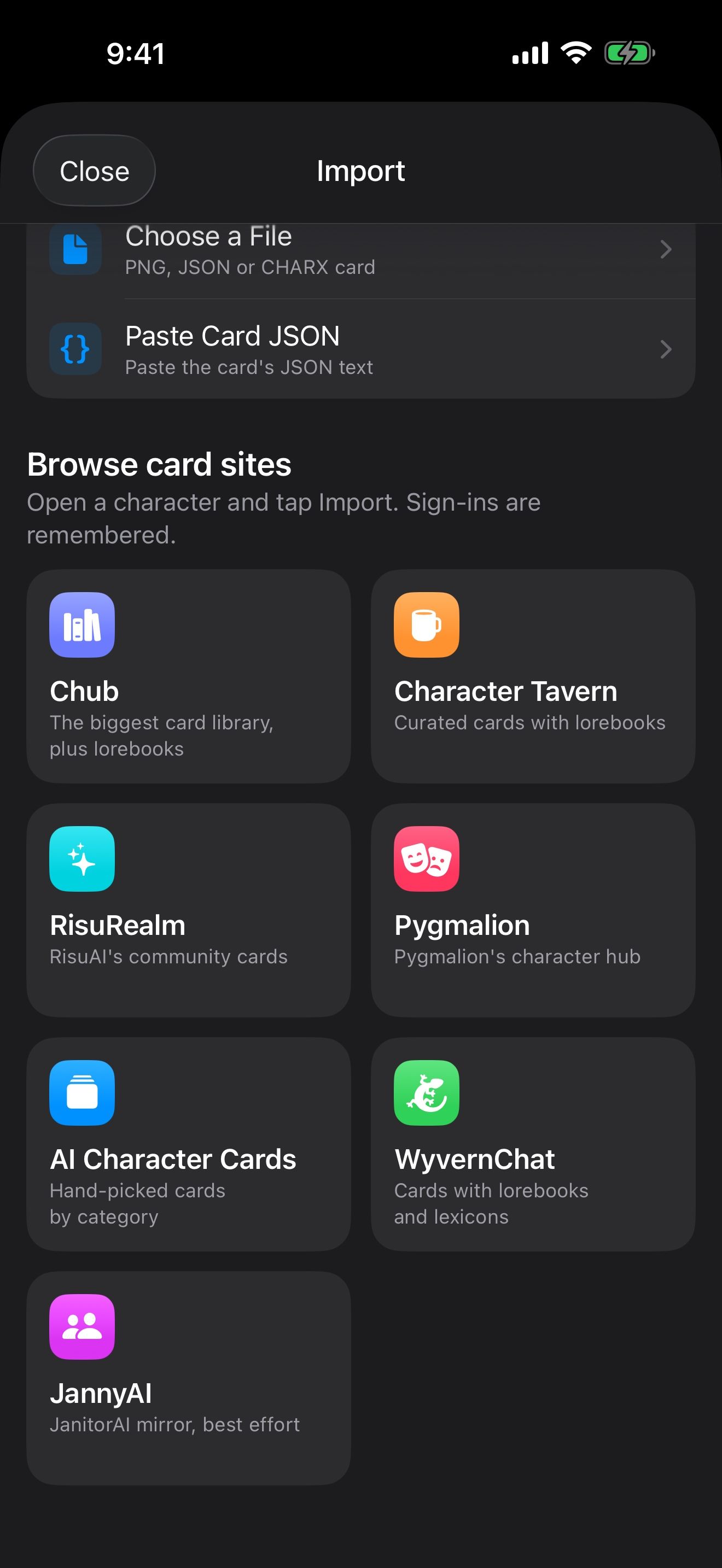
Browse card sites opens a site inside the app: Chub, Character Tavern, RisuRealm, Pygmalion, AI Character Cards, WyvernChat and JannyAI. Open a character and tap Import Character at the bottom (on JannyAI, tap the page’s own Download button). Sign-ins are remembered, and Sign Out of Site in the browser’s menu clears them. Perchance character links work by pasting them under Paste a link.
Share from Safari
On a character page in Safari or another browser, tap Share and choose Character Agent Share. The card opens in Character Agent for preview.
Preview, then add
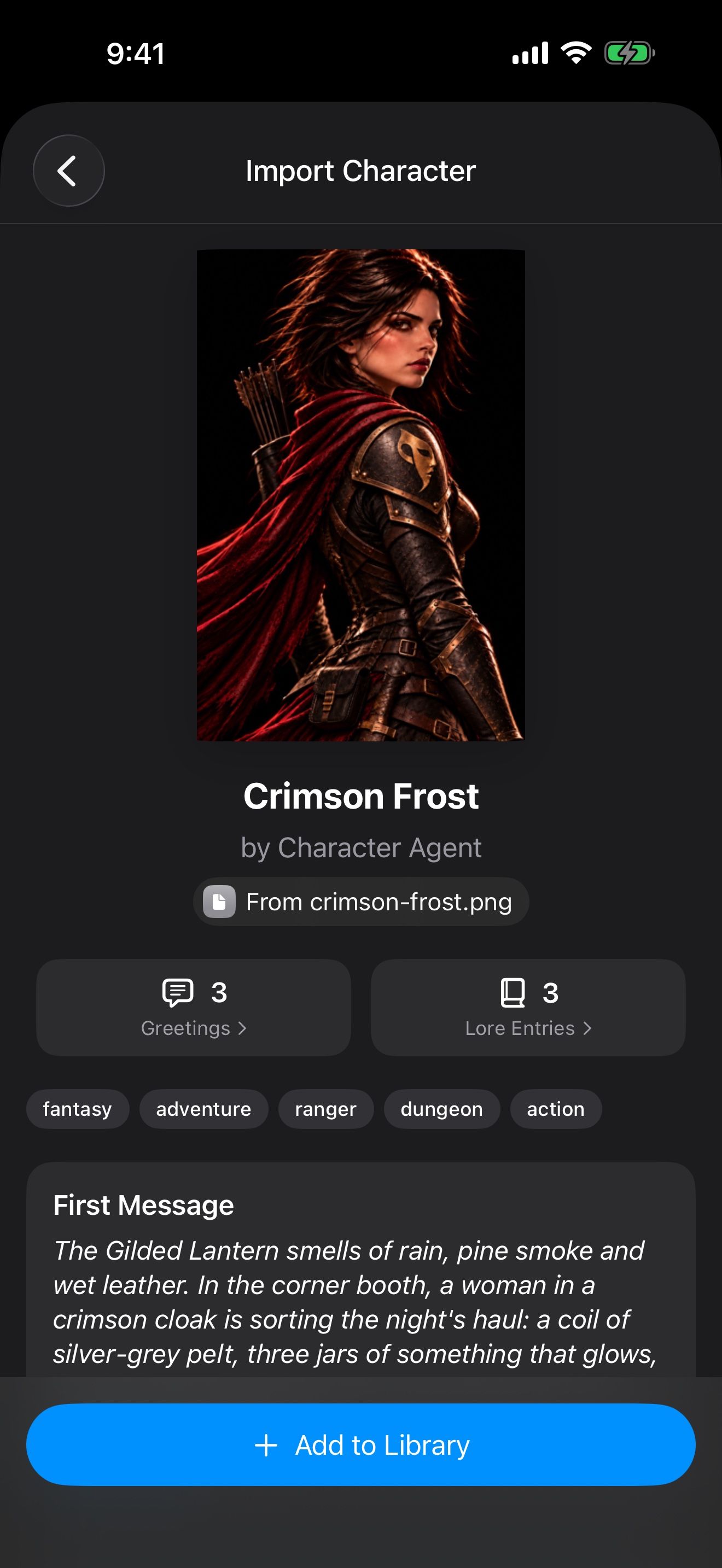
Every import shows a preview first: the picture, creator, first message, description, creator notes, greetings and any lorebook entries. Tap Add to Library. Then tap Start Chat, or find the character later in your library.
Lorebook links import to your lorebooks instead, with Add to Lorebooks. They start turned off; Lorebooks: keep your world consistent shows how to turn them on.
What comes next
To give a new character a memory and a voice, see A character who remembers you and Give them a voice, even yours. To move a whole collection from another app, see Bring your characters home.
Keep going
Create a character
Write a character from scratch: name, face, description, opening line, alternate greetings and tags.
Bring your characters home
Move your cards, lorebooks, presets and chats from other apps and card sites, then give them memory and a voice.
Discover Characters · Card import · Lorebooks · Story settings · Chat history · Memory