
Your first chat
Send a message, stop or skip ahead in a reply, and let the magic wand write your next line.
In a chat, you write what you say or do, and an AI model writes the character’s reply.
Start a chat
- Tap a launcher on the home screen, or long-press a character in your library and choose Chat.
- Characters often open with a greeting that sets the scene. Read it, then answer.
To import a character and start a chat with them, see Meet Crimson Frost.
Send a message
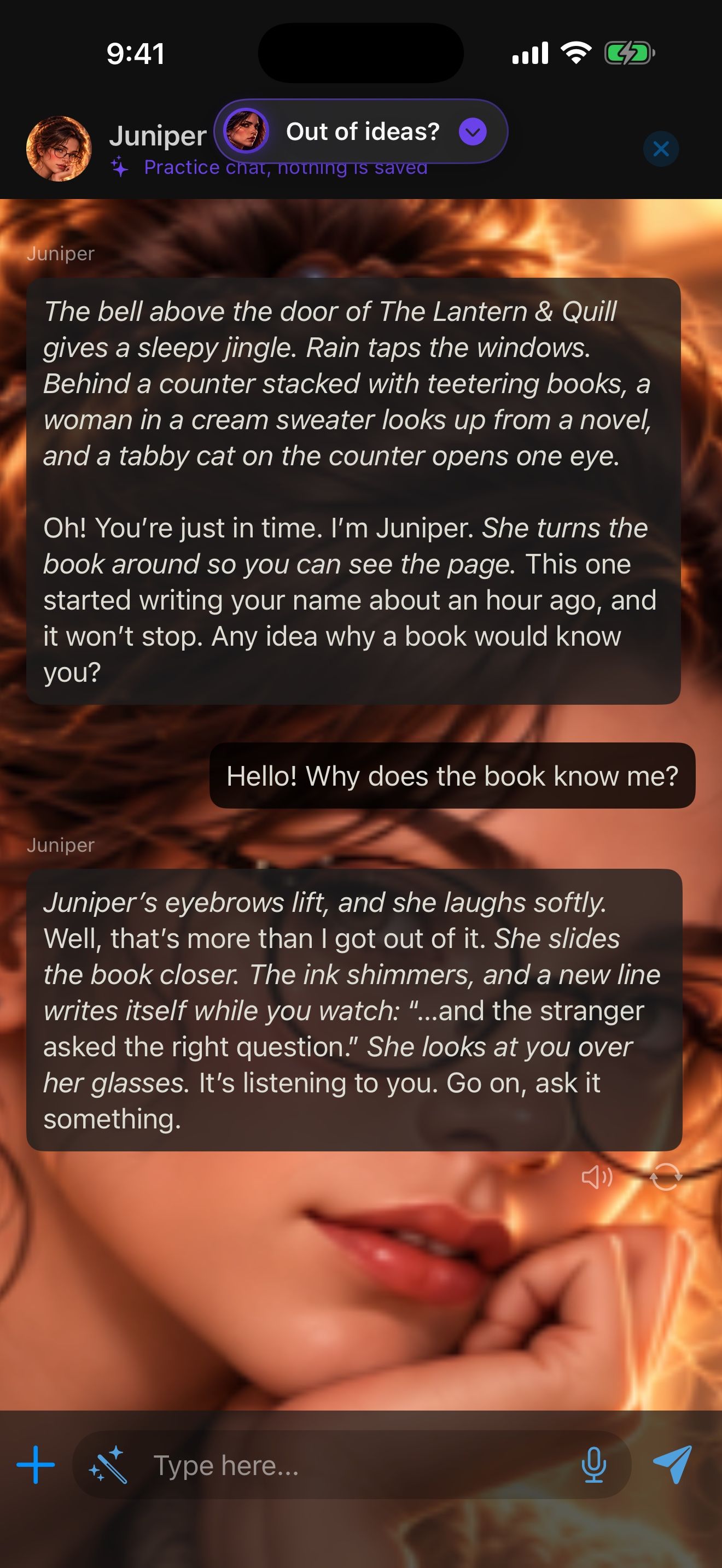
- Type what you say or do in the message box.
- Tap Send. The reply appears as it’s written.
- While a reply is writing, the send button becomes stop. Fast-forward skips to the end of the reply.
Out of ideas?
Tap the magic wand beside the message box and the app writes your next message into the chat. Tap Send to get the character’s reply. To change the message first, long-press it and choose Edit.
Talk instead of typing
Tap the mic to dictate, or start hands-free voice chat. Speech recognition runs on your iPhone and is free. See Voice: hear them and talk back.
Next steps
You can change any reply. Rewrite the story shows how to swipe for another version, edit any message, or branch a new chat. To have a character remember you from one chat to the next, give them a memory: Memory: characters who remember.
Keep going
Rewrite the story
Swipe for another version of a reply, edit any message, and branch a new chat from any message.
Meet Crimson Frost
Import our guide character, start a story with her, hear her replies read aloud, and give her a memory.
Card import · Character chat · Read aloud · Swipe, edit and branch · Memory