
Meet Crimson Frost
Import our guide character, start a story with her, hear her replies read aloud, and give her a memory.
Crimson Frost is a ranger who hunts beasts in the Thornwall Deeps and sells what she brings back: pelts to tanners, eyes to enchanters, and now and then a chest of cut gems to the guild. Most guides on this site use her as their example. Her card is free.
Bring her into the app

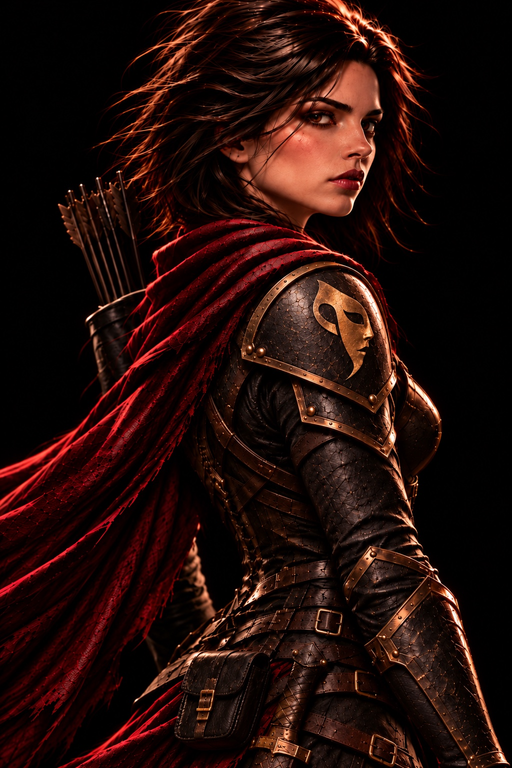
- Install Character Agent from the App Store. It’s free.
- Tap Copy link on her card, or download the PNG card to your Files.
- In the app, open the Manage Characters menu at the bottom of the home screen and tap Import Card.
- Paste the link under Paste a link, or tap Choose a File and pick the PNG. Then tap Preview.
- The preview shows her greetings, description and lorebook. Tap Add to Library, then Start Chat.
Choose who writes her replies
An AI model writes every reply. Choose one before your first chat: tap Start Free Trial in Settings to try the included models, or add your own AI key in Settings › Model Setup.
Say hello
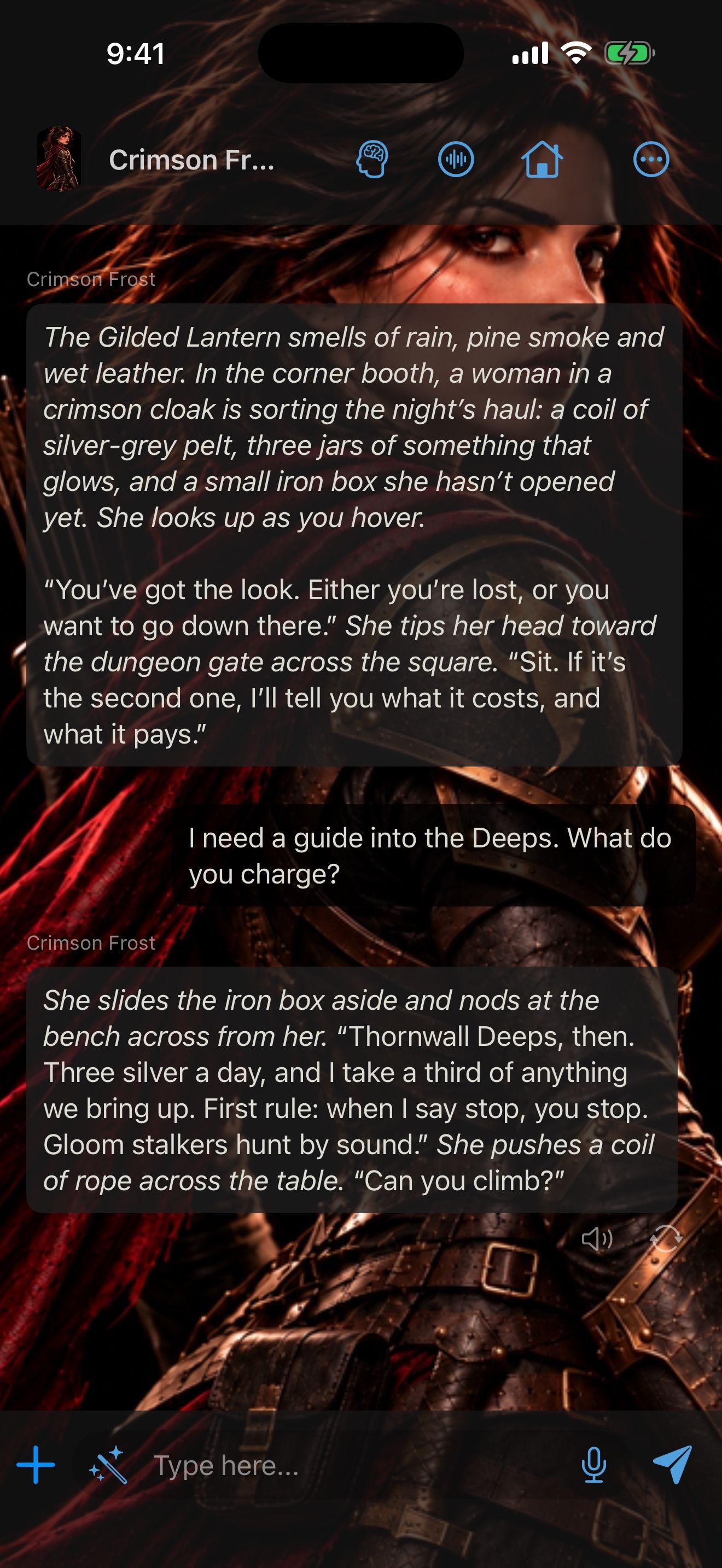
- Read her greeting. She opens in the Gilded Lantern, sorting the night’s haul.
- Type what you say or do, and tap send. Her reply appears as it’s written.
- To have the app write your next message, tap the magic wand.
Hear her
Tap the speaker under one of her replies to hear it read aloud. Heart, a natural English voice, is built in and runs on your iPhone. To hear each reply as it arrives, turn on Read Replies Automatically in Settings › Voice & Speech.
To talk to her out loud, see Give them a voice.
Change a reply
- Swipe her reply to the left for a different version. Every version is kept, so you can swipe back.
- Long-press any message and choose Edit to change it, including her replies. Later replies build on your edited text.
- Branch from Here starts a new chat from that message and leaves the original as it was.
Give her a memory
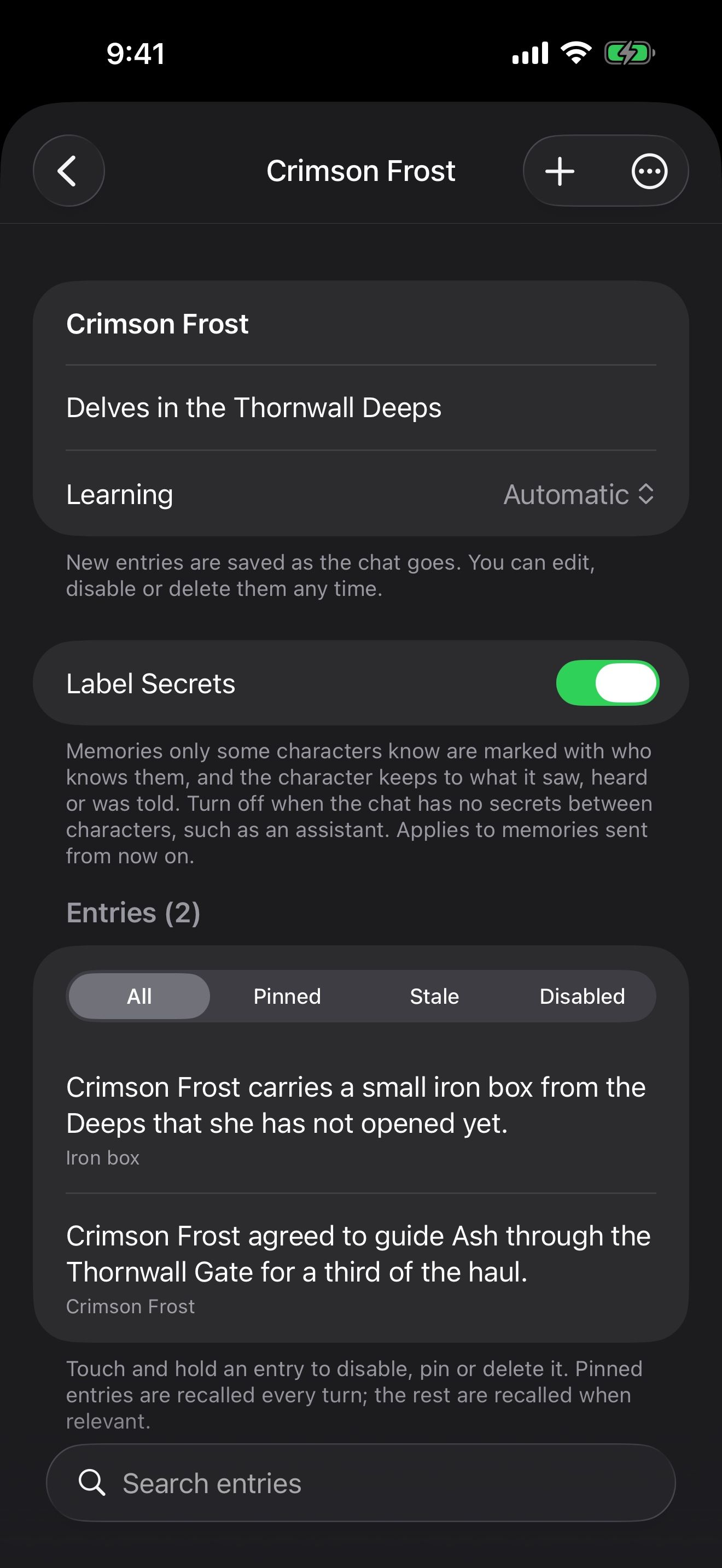
A memory saves facts from your chats and brings the relevant ones back in later replies, including in new chats.
- In the chat, open the ⋯ menu, choose Chat Settings, and tap Memories.
- Tap New Memory, name it “Crimson Frost”, and tap Create.
- Keep chatting. By default, the memory learns every 6 messages: your name, a promise she made, where you’re headed.
A brain icon appears in the chat’s header while the memory works. Tap it to see what it has saved. A character who remembers you shows how to review and pin facts and use the memory in new chats.
Keep going
A character who remembers you
Give a character a memory that learns from your chats, check what it learns, and use it in new chats.
Memory · Launchers · Memory files · Chat history · Check-ins
Give them a voice, even yours
Talk hands-free with voices that run on your iPhone, and clone a voice for your character. All free.
Hands-free voice chat · On-device voices · On-device speech recognition · Voice cloning · Launchers · Siri, Shortcuts and widgets
Build a world by talking
Ask Character Agent to create characters, lorebooks and launchers for you, and approve every change.
Character Agent · Lorebooks · Launchers · MCP tools · Swipe, edit and branch