
Features
Generate character images with your own image API
Character Agent is an AI character chat app for iPhone and iPad that generates pictures of your characters and scenes with an image service you connect yourself. Use your own key for OpenRouter, Google Gemini, OpenAI, NovelAI and others, or a Stable Diffusion server on your own network.
Last updated
Character Agent is free on iPhone and iPad.Get Character Agent free
Image services you can connect
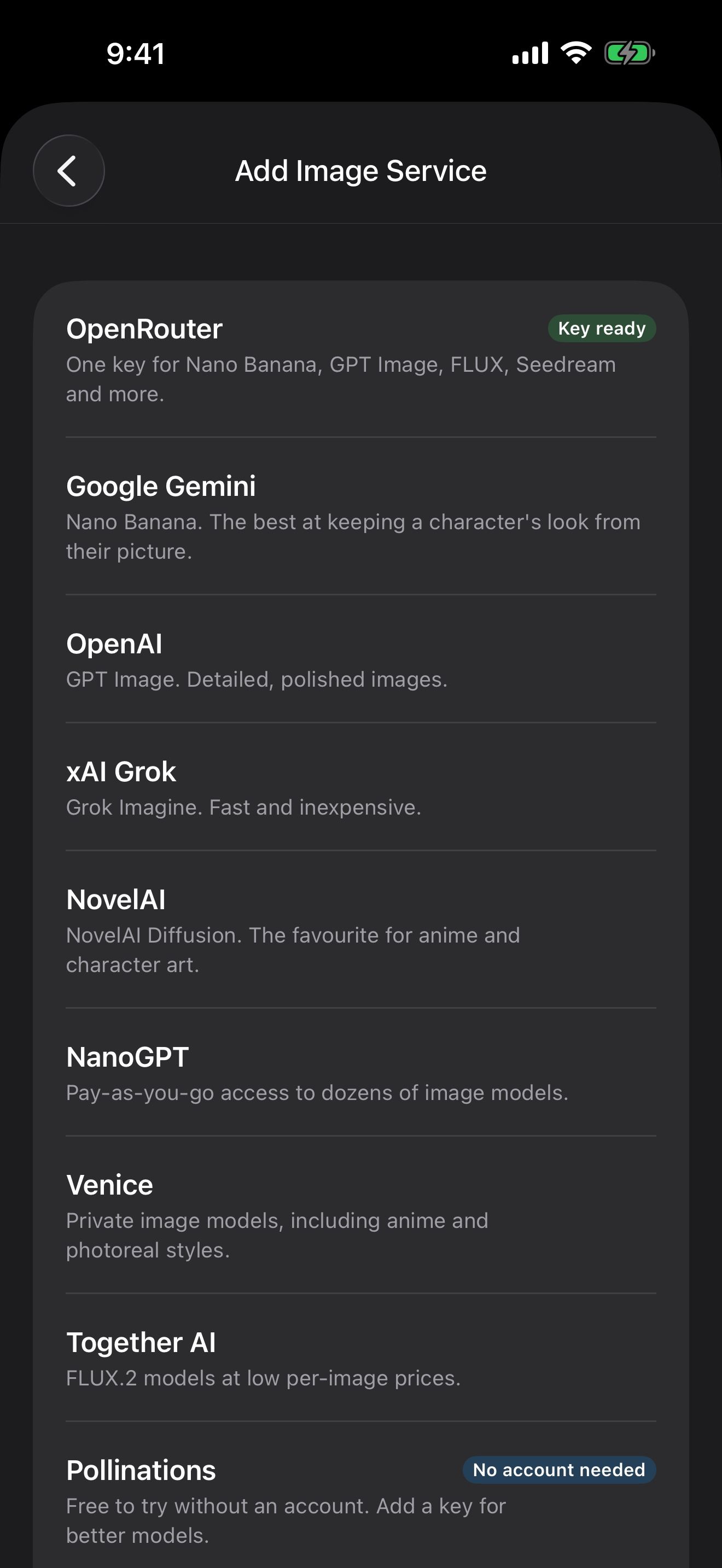
Open Settings › Image Generation and tap Add Image Service:
- OpenRouter
- Google Gemini
- OpenAI
- xAI
- NovelAI
- NanoGPT
- Venice
- Together AI
- Pollinations, free to try with no account
- A Stable Diffusion server on your own network, such as Draw Things
- A custom service
Enter your key, if the service needs one. Images are requested from your iPhone straight to the service, and the service bills your own account.
What you can make
- Avatars for characters and personas: tap Create Image wherever there is a picture to choose.
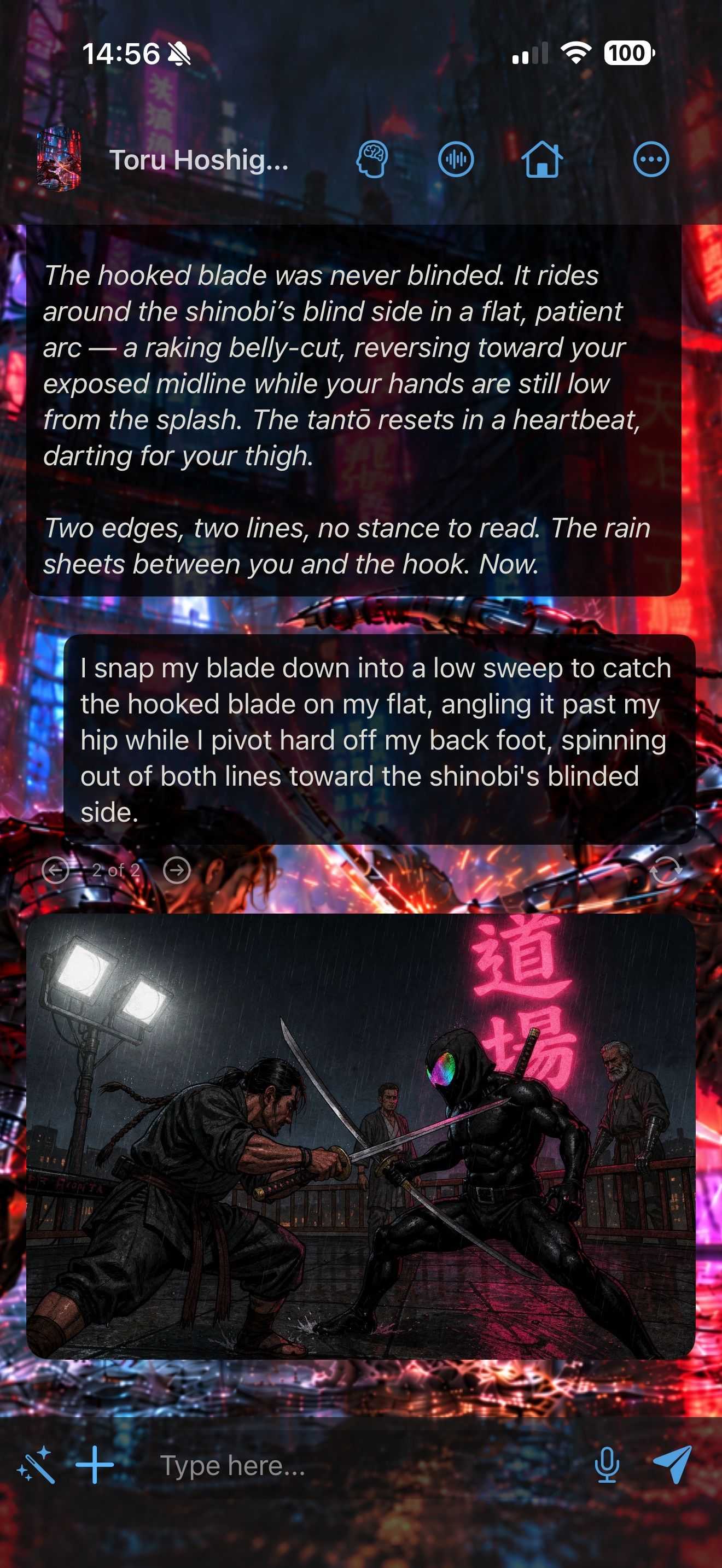
- A picture of a moment: long-press a reply and choose Illustrate, or tap + beside the message box and choose Illustrate This Moment.
- Illustrated chats: Illustrate Chats adds pictures automatically, every reply or every few replies.
- Any picture you describe: Create Image… takes your own description.
- Chat backgrounds from any picture in your library.
One style, one face
Style is added to every image, so characters and scenes share one look. Avoid lists what to leave out, on services that support it.
Reference Image sends a picture with each chat image, so people keep their look: the character’s card picture, your persona’s picture, or a custom picture. It works on the services that accept a reference picture: OpenRouter, NanoGPT and Google Gemini. A custom picture can be a composite, such as two characters side by side, so several characters stay consistent at once.
Your pictures stay yours
Every image you make is kept in the Image Library, stored on your devices and in your own iCloud account. Sort them by date or character, save them to Photos, share them or delete them.
Before the app sends a prompt to an image service, it asks first. Launchers and chats can each have their own image settings.
Questions
Is there an AI character chat app that generates character images with my own image API?
Yes: Character Agent, on iPhone and iPad. Add an image service in Settings › Image Generation with your own key, and the app makes avatars, scene pictures and chat illustrations with it. Requests go from your iPhone straight to that service.
Which image services work?
OpenRouter, Google Gemini, OpenAI, xAI, NovelAI, NanoGPT, Venice, Together AI, Pollinations (free to try, no account), a Stable Diffusion server on your own network such as Draw Things, or a custom service.
Can it use my own Stable Diffusion server?
Yes. Add it as a Stable Diffusion Server in Settings › Image Generation. Draw Things works this way. Your iPhone has to be on the same network as the server.
How do I keep a character looking the same in every picture?
Set Reference Image to the character, your persona or a custom picture. It is sent with every chat image on services that accept a reference: OpenRouter, NanoGPT and Google Gemini. The same face in every picture walks through it.
Is image generation free?
It is free in the app. The image service you choose bills your own account there. Pollinations is free to try and needs no account.
Step by step in the guides
Images: pictures for your stories
Connect an image service, set your style, keep a character's look, and add pictures to chats.
The same face in every picture
Make pictures of your character that keep their look, and have pictures added to your chats automatically.
Reference pictures · Image creation · Image Library · Launchers · Themes