
Memory
Export and back up memories
Character Agent is an AI character app for iPhone and iPad where a character's memories are yours to take out. Export any memory as a text file, keep it as a backup or share it, and import it again on any device.
Last updated
Character Agent is free on iPhone and iPad.Get Character Agent free
Export a memory
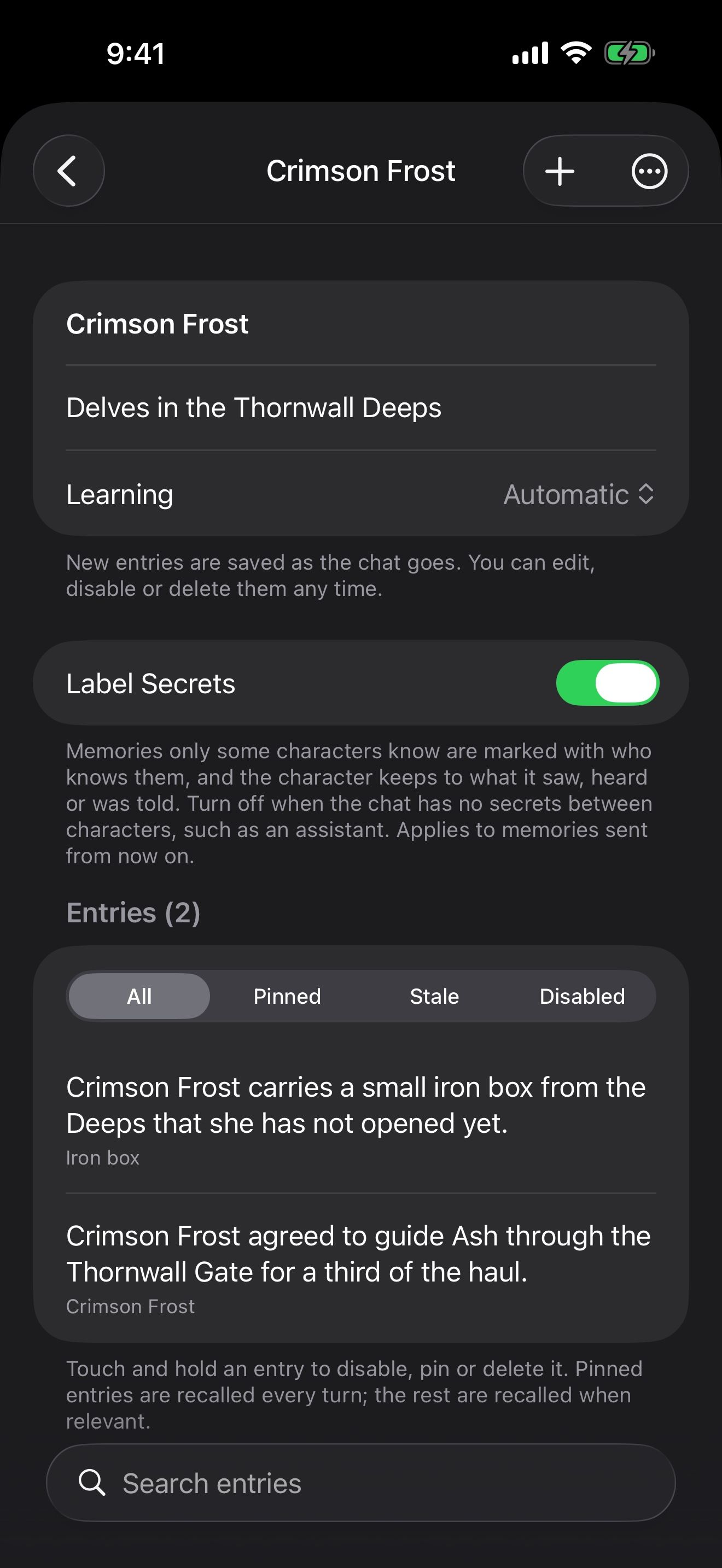
- Open Settings › Memories.
- Long-press a memory and choose Export, or open the memory and tap Export.
- Save the file to Files or iCloud Drive, or share it.
The file holds the memory’s name, description, settings and every entry. It is plain text with one entry per line, and its name ends in .memory.jsonl.
Import a memory
- Open Settings › Memories and tap Import.
- Choose the file.
An import always makes a new memory. If a line of the file can’t be read, the rest still imports and the app tells you which lines it skipped.
Copy a memory before a risky turn
Duplicate makes a copy of a memory inside the app. Attach the copy to a new launcher to try a story in a new direction, and the original stays as it was.
What is backed up for you
Memories are stored on your devices and in your own iCloud account, with the rest of your library, so a new iPhone or iPad signed in to the same iCloud account gets them. We don’t keep a copy.
An exported file is separate from that: a copy you hold, which doesn’t change when the memory keeps learning.
Everything else exports too
- Chats: in History, long-press a chat and choose Export Chat. The file keeps every message and every swiped reply.
- Characters and personas: export as PNG cards or JSON.
- Lorebooks: open a lorebook and tap Export.
- Themes and prompt presets: export as JSON.
How memory works: Memory.
Questions
Can I export or back up my AI character's memories?
Yes, in Character Agent. Long-press a memory in Settings › Memories and choose Export. You get a file with every entry, which you can save to Files or iCloud Drive, or share.
What is in the file?
The memory, its settings and every entry, as text with one entry per line (a .memory.jsonl file). You can open it in any text editor.
Does importing overwrite a memory I already have?
No. An import always makes a new memory, so nothing you have is replaced.
Are memories backed up without exporting?
They are stored on your devices and synced through your own iCloud account, so they reach your other devices. An exported file is a copy you keep yourself.
Can I move memories to another app?
The export is plain text you can read and reuse. Characters export as standard PNG cards or JSON that other character apps can open, and chats and lorebooks export as files too.
Step by step in the guides
Memory: characters who remember
How memories learn and recall, and how to review, pin, edit, import and export their entries.
A character who remembers you
Give a character a memory that learns from your chats, check what it learns, and use it in new chats.
Memory · Launchers · Memory files · Chat history · Check-ins