
Memory
Long stories and continuity
Character Agent is an AI character chat app for iPhone and iPad built to keep a long story consistent. A memory carries what happened from chat to chat, lorebooks hold the facts of your world, and summaries let a new chat pick up where a long one ended.
Last updated
Character Agent is free on iPhone and iPad.Get Character Agent free
What happened: memory
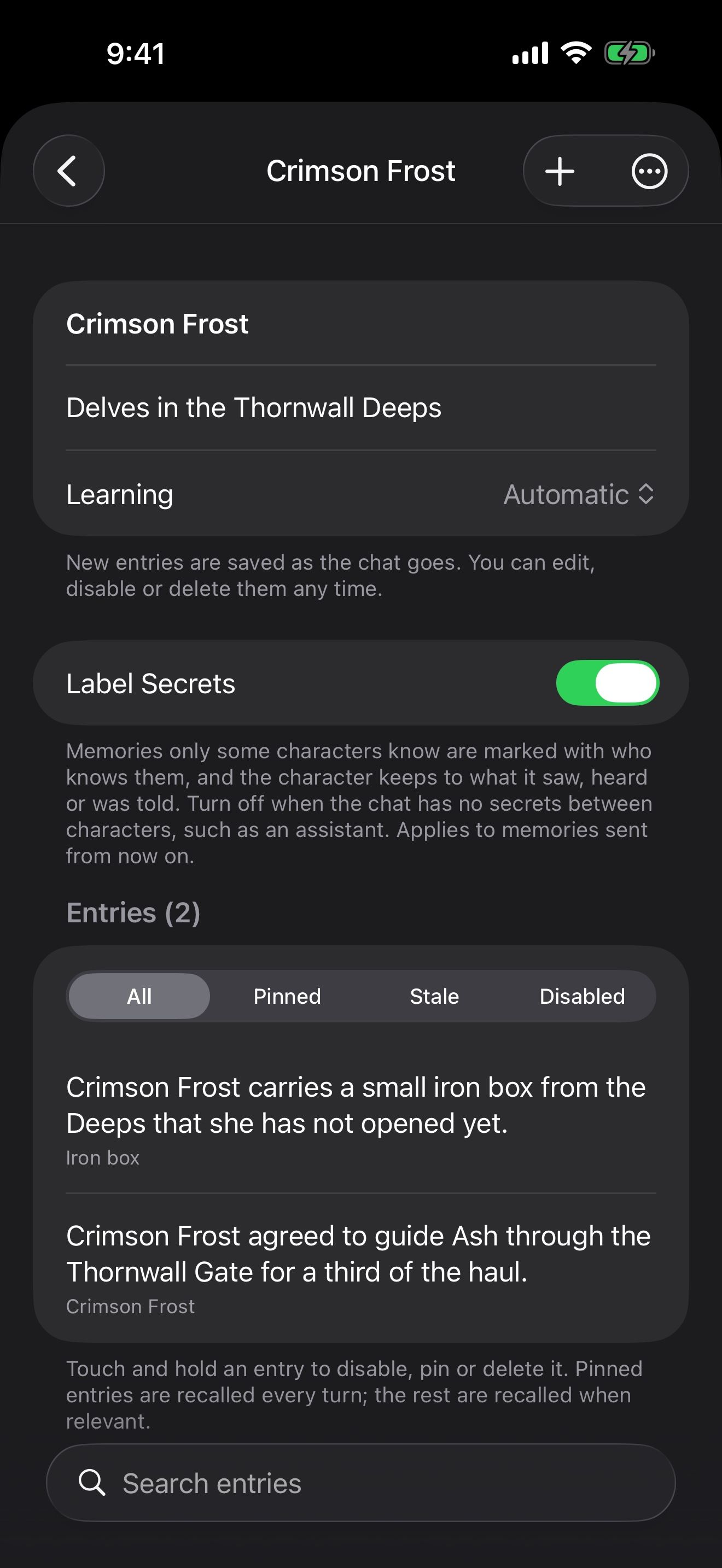
A memory learns events, promises, secrets and how characters change, as you chat. Each reply gets the most relevant entries, plus every pinned one.
- Attach one memory to a launcher, and every chat of the story learns into it.
- Pin what must never be forgotten, such as a name or an oath.
- Label Secrets marks what only some characters know, so each character keeps to what it saw, heard or was told.
- Read and correct it at any time. A wrong entry can be edited, disabled or deleted.
More: Memory.
What is true: lorebooks
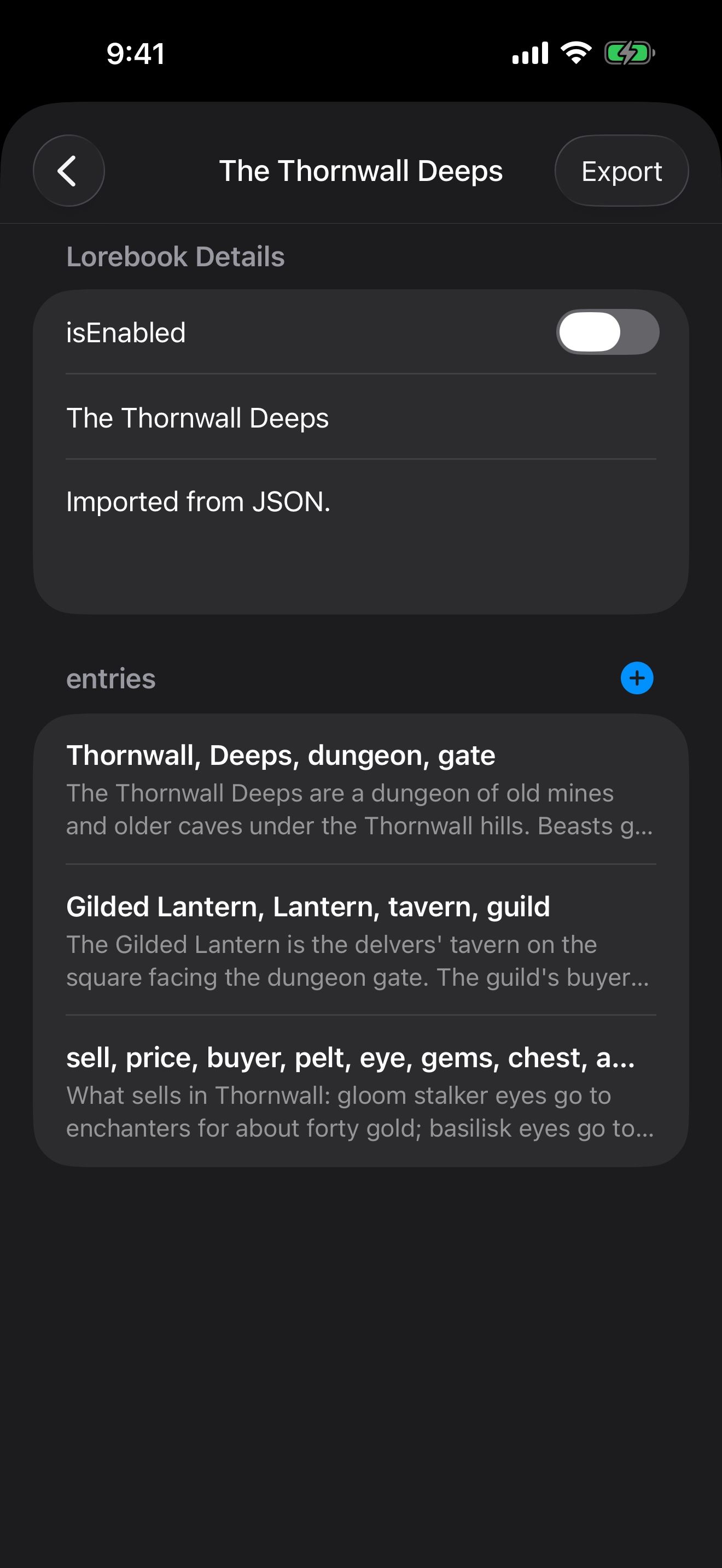
A lorebook holds the facts of your world: places, people and rules. An entry is sent when one of its keywords comes up, or always, if you set it to Constant. A story can use several lorebooks at once: one switched on everywhere, one inside the character’s card, and others attached to its launcher.
Long chats: summarize and continue
- In History, long-press the chat and choose Create Summary.
- In the story’s memory, tap Add From Summary to turn the summary into entries.
- Start a new chat from the story’s launcher. It recalls those entries.
If you attach a memory to a chat that already has history, Catch Up learns from the earlier messages.
One launcher for the story
A launcher saves how a chat starts: the character, greeting, your persona, memories, lorebooks, model, voice and story settings. Start every session of the story from it, and each one begins with the same world and the same memory.
Story Arc Chat Rounds, in the story settings, has the model follow a plot arc every few rounds, to pace scenes.
Branches and copies
- Branch from Here starts a new chat from any message. The original chat doesn’t change.
- Duplicate a chat or a memory to take a copy in another direction.
- Edit any message, including the character’s replies. Later replies build on the edited text.
Keep it safe
Your story is stored on your devices and in your own iCloud account, and syncs between iPhone and iPad. Chats, memories and lorebooks also export as files: Export and back up memories.
Questions
Which app keeps continuity in a long-running story?
Character Agent keeps it in three places you can read and edit: a memory that learns events and promises as you play, lorebooks for the fixed facts of the world, and summaries of long chats. All three carry into new chats.
What happens when a chat gets very long?
Create a summary of it from History, add the summary to the memory with Add From Summary, and start a new chat from the same launcher. The new chat recalls what the old one established.
Can several chats share one memory?
Yes. A memory belongs to a character or a story arc, not to one chat. Attach it to a launcher, and every chat started from that launcher learns into it and recalls from it.
How do I stop a character forgetting a key fact?
Pin it. An entry with Pin: Recall Every Turn is sent with every reply. Fixed facts about the world can go in a lorebook entry set to Constant.
Can I try a different direction without losing the story?
Yes. Branch from Here starts a new chat from any message and leaves the original unchanged, and Duplicate copies a memory so the branch can learn on its own.
Step by step in the guides
A character who remembers you
Give a character a memory that learns from your chats, check what it learns, and use it in new chats.
Memory · Launchers · Memory files · Chat history · Check-ins
Lorebooks: keep your world consistent
Write down the places, people and rules of your world, and the character gets each fact when it comes up in the chat.
Launchers: saved ways to start a chat
Save how a chat starts: the character, greeting, persona, memories, lorebooks, model, voice, theme and images.